AI UGC ads keep getting your product wrong. Here's the fix.
UGC content is video that looks like a real customer made it: someone talking to their phone, opening the box, trying the product. AI UGC is the same style of video made with AI, using an AI presenter or a generated scene instead of a creator and a shoot.
AI UGC is fast and cheap, which matters when ads wear out in a few weeks. But it has one weak spot, and it's the one thing your ad can't get wrong: your product.
The short version
- AI video tools guess what your product looks like, scene by scene, so the label, colour and shape drift.
- A 3D model of your product doesn't guess. Every shot comes from the same exact model.
- Use real or AI UGC for the hook, and 3D product shots for the close-ups.
- One ad format that works: UGC hook, 3D product shot, UGC call to action.
What are UGC ads?
UGC ads are ads made to look like user-generated content. A person talks straight to camera, unboxes something, puts it on, or reacts to it. They feel like a post from a friend rather than a commercial, which is why brands run them on TikTok, Reels and Meta.
Some UGC ads are filmed by real customers or paid creators. More and more are made with AI.
What is AI UGC?
AI UGC uses AI to make UGC style ads without filming anyone. An AI avatar reads your script, or a video model generates the whole scene from a prompt and a photo of your product.
The appeal is obvious. You can make twenty versions of a hook in an afternoon, test them all, and keep the winners. No creator fees, no shipping samples, no waiting on an edit.
Where AI UGC gets your product wrong
A video model doesn't know your product. It has a reference photo and a guess, and it makes that guess again in every scene. That's where things slip:
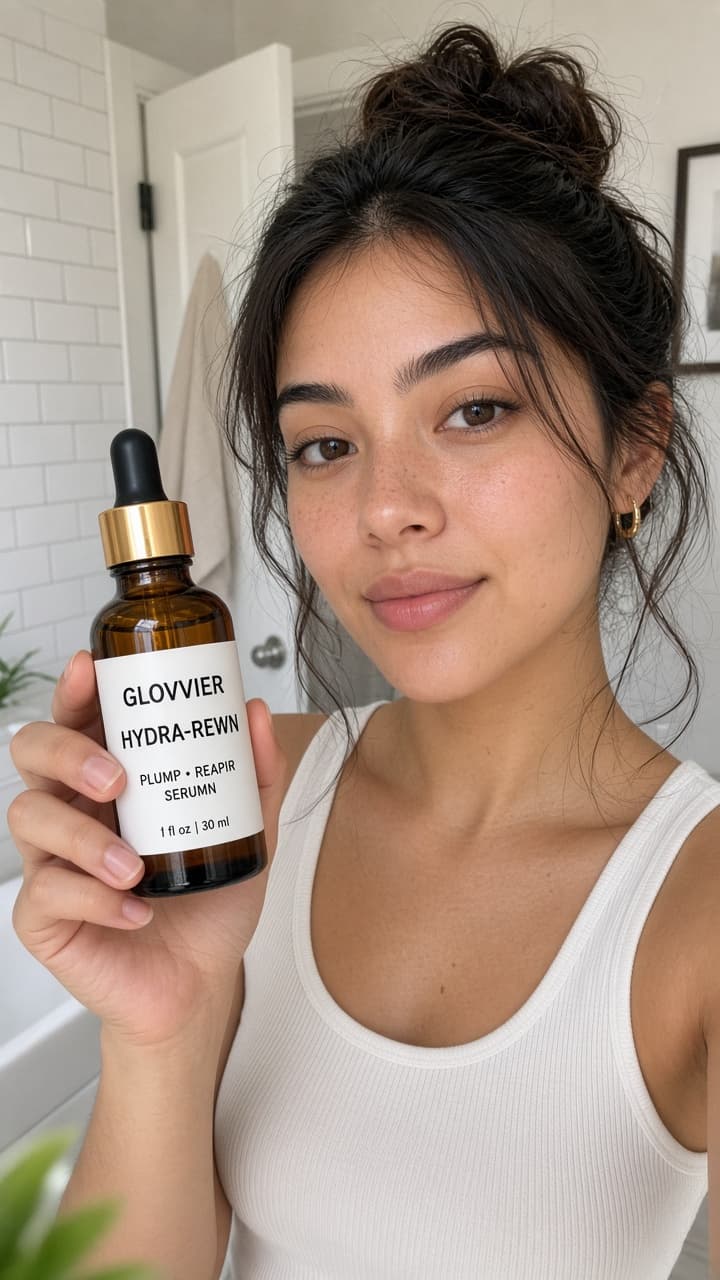
- The label turns into almost-letters. Brand names wobble and small print becomes squiggles.
- The colour shifts. Your sage green is a bit bluer in one shot and greyer in the next.
- The shape changes. A cap gets taller, a pump moves, a bottle gets slimmer between cuts.
- The details disappear. Glass loses its weight, droppers melt into the bottle, embossing vanishes.
The person holding it can look perfect while the product in their hand quietly changes. Viewers might not spot it straight away, but your customers know your product, and the ad is a promise about what turns up in the post.
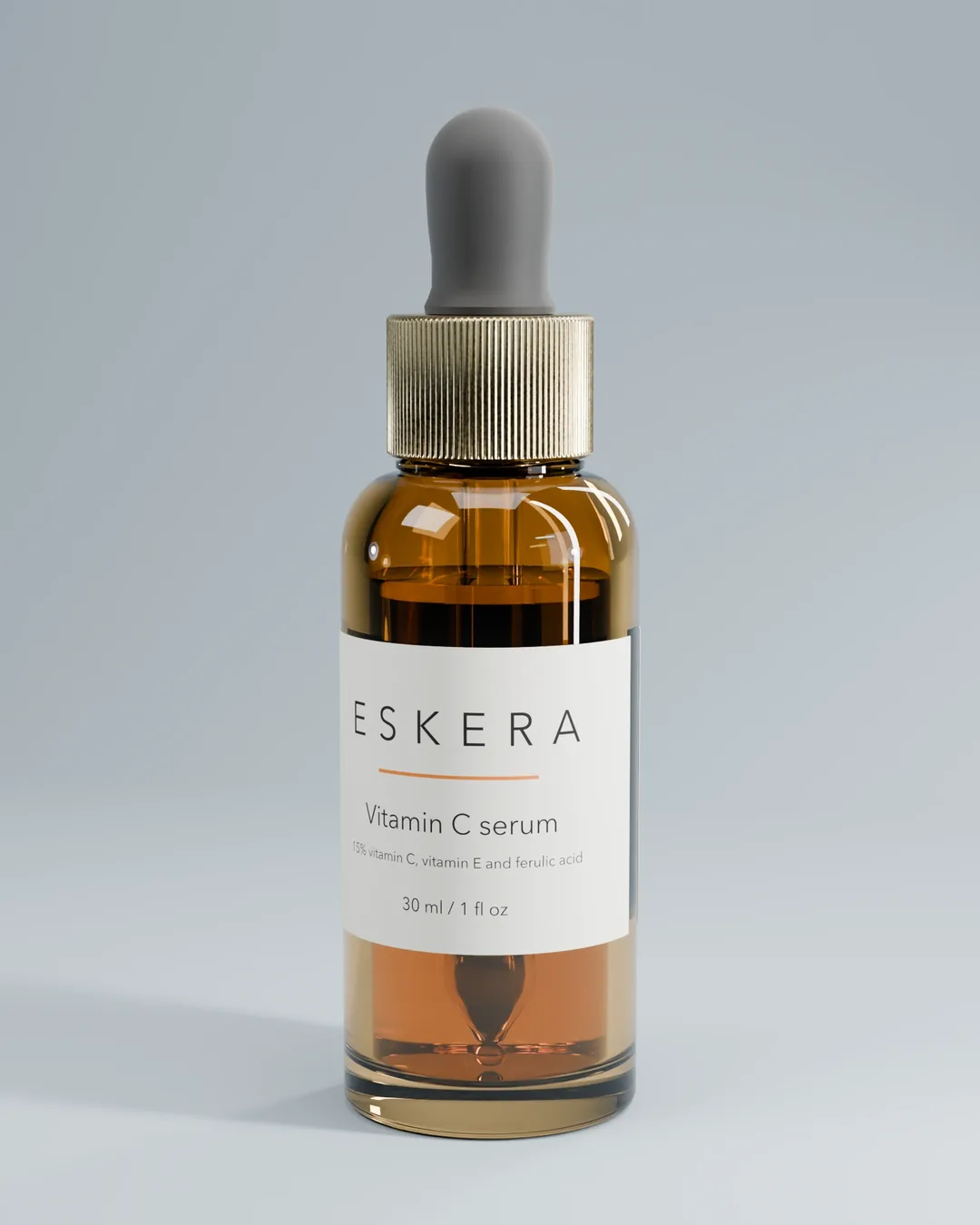
Demo images, not a client result.
Why a 3D model fixes it
A 3D model is your product built exactly: the shape, the label artwork, the glass, the cap and the colour. It doesn't guess, so every frame of every clip shows the same product.
That gives you three things AI UGC can't:
- The same product in every shot. Scene one and scene forty match, because they come from one model.
- Close-ups you can trust. The label, the dropper, the texture of the cap, sharp enough to read.
- New colours without a new shoot. A new shade is a new material on the same model, so the angle, light and framing stay identical.
This is what 3D product rendering is good at. It's not trying to look like a phone video. It's the part of the ad where the product has to be right.
How to use UGC and 3D product animation in one ad
You don't have to pick one. The strongest UGC style ads use both, each for the job it's good at.
- The hook, first 3 seconds: a real creator or AI UGC. A face, a reaction, a problem. This is what stops the scroll.
- The product, next 5 to 7 seconds: a 3D product animation. A slow spin, the cap coming off, a close-up of the label or the formula. This is where the product has to be right.
- The close, last few seconds: back to the creator for the call to action, or a 3D packshot with the offer.
A simple rule: AI is fine for the person and the setting. Anything with your label on it should come from your 3D model.
If you're using an AI video tool anyway, give it a clean 3D still of your product as the reference image instead of a phone photo. It gives the tool a better starting point. It can still drift, so keep the hero product shots as true 3D.
UGC ads examples: three ways to add 3D
These are example ad structures, not client results.
Skincare serum. A creator talks about their morning routine. Cut to a 3D close-up of the dropper lifting out of the bottle, label sharp. Back to the creator applying it, then "link in bio".
New colour, before stock lands. An AI presenter announces the new shade. Cut to a 3D colourway clip showing every shade from the same angle, one after another. The stock can be late; the ad doesn't have to be.
Retargeting. People who watched your UGC ad see a 3D product video next: an exploded view showing what's inside, or the product turning on a plinth with the price. Same product, more detail, for people who are already interested.
CGI ads vs UGC ads: do you have to choose?
No. CGI ads on their own can feel like a commercial, and people scroll past commercials. UGC on its own can look generic, and with AI it can get your product wrong. Put together, the person earns the attention and the 3D shot shows exactly what they're talking about.
What you need to start
A 3D model used to mean a studio, a CAD file and a big quote. With Baked Goods, you send six to eight phone photos of your product. Within 72 hours you get your own studio: a private link, no login, where you can turn your product, pick an angle, switch colours and bake high-res shots and clips to download in 9:16, 4:5 and 1:1, ready for Reels, TikTok and Meta.
Packs start at $349. Full refund if you don't love it.
FAQ
What are UGC ads?
UGC ads are ads made in the style of user-generated content: a person filming themselves with a product, talking to camera or reacting. They're made to feel like a real post rather than a polished commercial.
What is AI UGC?
AI UGC is UGC style video made with AI instead of a real creator. An AI avatar reads a script, or a video model generates the scene from a prompt and a product photo.
Why do AI UGC ads change my product between scenes?
Video models don't store an exact copy of your product. They regenerate it in each scene from a reference, so the label text, colour and shape can shift from one shot to the next.
Can I use 3D product renders in UGC style ads?
Yes. A common format is a UGC hook, then a 3D product shot or animation for the close-up, then a UGC call to action. Export the 3D clip in 9:16 and it cuts straight into a TikTok or Reels edit.
How much does 3D product rendering cost?
With Baked Goods, packs are $349 for a Taster, $699 for a Drop (12 high-res shots plus the 3D file) and $1,499 for a Launch (three products, or one from CAD). Every pack comes with your own studio link, and a full refund if you don't love it.